
01 / HEROES
Know the hero. Then know the matchup.
Inspect abilities, level values and upgrades directly from each hero’s compact header. Build your item and skill plan before the horn.
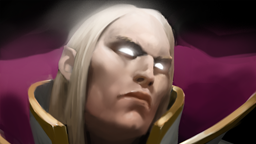
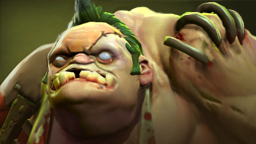

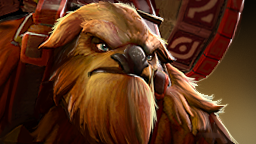
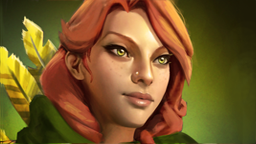

Explore the heroes and items you actually play. Build a plan before the horn, get useful cues during the match, and learn from the result.




Heroes, abilities, items and match context belong together. Move from what you can pick to what you should consider next.
Inspect abilities, level values and upgrades directly from each hero’s compact header. Build your item and skill plan before the horn.
Explore item effects and build paths. Compare your plan with what you buy and see the next choices during a game.


Explore a sample player’s companion.
Change the view. Find the next thing to improve.
INTERACTIVE PRODUCT PREVIEW
Illustrative data. No Steam login needed.
Visual role benchmarks.
Per-hero percentiles.
One match history.
Saved analysis close by.
Accents, width and opacity.
Text size. Icons-only items.
Turn a spare laptop, tablet or phone into your live companion. Open Second screen in the desktop app and share its pairing link or scan the QR code. Laptops get the full desktop live dashboard; phones keep the compact coach.
01Your lane. Your role.Confirm each match. Add lane opponents if you want.
02Advice comes first.Full tips up top. Your inventory and match details close by.
03A proper finish.A retained match summary, with final totals when available.
A lane plan that starts with the role you’re actually playing.
Desktop app stays open. Your second screen joins the same network.
Add to your home screen for the app-like experience.
Sample game · tap the phases to explore
A browser demo, not a connection to a live game.
Wake toggle is simulated here.
Your next queue is waiting.
Keep the setup simple.
Choose Windows or Linux, then select your Steam account to bring in your available OpenDota history. On SteamOS, start in Desktop Mode.
Use automatic live setup in the app, then restart Dota. The companion reads the game’s local GSI feed.
Open Second screen in the Live tab. Share the laptop link or scan the QR code on the same network, then confirm your role and play.
Free for Windows, Linux and SteamOS.
Desktop companion + mobile live view.
Fresh stats after each game. Smooth updates.
Cached artwork that stays ready between pages.
Loading downloads…
Read the release notes ↗
Windows 10 / 11 · 64-bit
Install once. Bring your history, guides and live coach together.
Download Windows installer MSI · 92 MBPortable ZIP · 110 MB
64-bit · SteamOS Desktop Mode
A portable AppImage for your Linux desktop. On SteamOS, open it in Desktop Mode and keep it running alongside Dota.
Download Linux AppImage AppImage · 110 MB · allow execution before launchingDebian / Ubuntu .deb · 77 MBDownload the AppImage, open its file properties and allow it to run as a program, then launch it. On SteamOS use Desktop Mode; the Debian package is for Debian / Ubuntu, not SteamOS. If your Linux system needs FUSE, install its AppImage support or launch with --appimage-extract-and-run. On Ubuntu 24.04, choose the Debian package for its app-specific sandbox policy. Steam and Flatpak Steam locations are detected automatically. Keep the companion open while playing; the phone live view works over the same Wi-Fi. Overlay behaviour depends on your desktop compositor; a separate overlay is not guaranteed in SteamOS Gaming Mode.
No. Keep Dota Companion open on your main computer, then use Second screen in its Live tab to pair a spare laptop, tablet or phone on the same network. Laptops show the full desktop live dashboard; phones show the compact coach. You can switch layouts manually, use fullscreen, or add the phone view to your home screen.
It uses the data Dota exposes through its local Game State Integration feed. Your stats, items and reported game phase can inform the coach. Draft availability varies, and the app asks you to confirm your role and lane. Opponent selection is optional; it does not reveal hidden enemy information.
Tap the keep-awake control in the mobile app. Support depends on your browser and device; keep the app visible. It cannot prevent you manually locking the phone or override every operating-system power restriction.
The desktop app stores its settings and cached history locally. It requests match data from OpenDota, and your mobile view connects to your desktop over your local network. It does not need your Steam password.
Available history and parsed samples determine what can be shown. Live history is filtered by hero, inferred position, lane and selected mode. Missing benchmark values remain unavailable, estimates are labelled, and historical matches may span patches. These are useful signals, not a guaranteed explanation for every game.
No. It is a companion for reviewing your games and reading the local game feed. It does not automate your actions or inject into Dota. Every decision stays yours. Dota Companion is an independent project, not a Valve product.
Make your next game yours.↗